Segments in Customer Insights - Journeys: Bulk delete with Power Automate
Firstly, the usual health warnings apply when you are deleting things - with great power comes great responsibility and don’t blame me if you delete the wrong things!
Currently its not possible to delete segments more than one at a time from the view in Dynamics 365 Customer Insights - Journeys. Why? I don’t know. Why do you need to? That’s up to you, but it’s a question I have been asked often. And I love an excuse to go digging into these things. There is no way via the UI or bulk delete, but you can use a flow (or other automation tool that makes API calls) to do this.
List the (Virtual) Segments you want to Delete
This flow can be scheduled or manually triggered, that is up to you/ But first you need to decide the filter criteria for the segments you want to delete. Ideally your filter criteria only includes the ones that are supposed to be deleted but if you happen to include a segment that has a recognised dependency such as a live journey or used as part of another segment (but the segment it is being referenced by will be deleted!). And obviously a segment is not necessarily a candidate to delete, even if doesn’t need to have an active dependency!
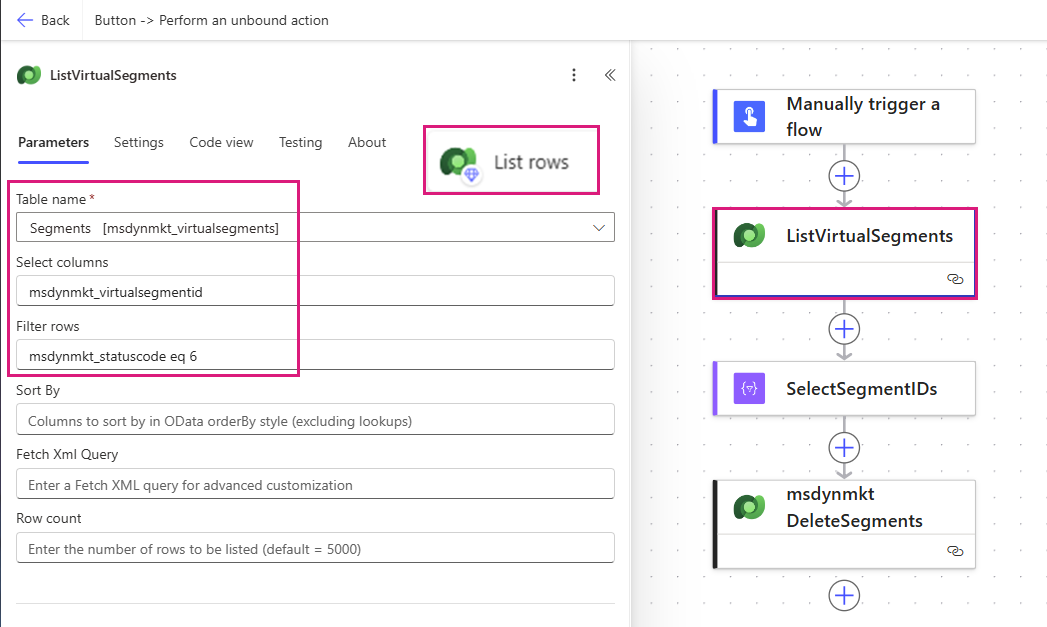
List rows (Dataverse) - ListVirtualSegments
Table name: Segments [msdynmkt_virtualsegments]
Select columns: msdynmkt_virtualsegmentid
Filter rows: msdynmkt_statuscode eq 6 and startswith(msdynmkt_name,'Migrated -')
A few example filters to get you started/inspired:
Name starts with ‘Migrated -’: startswith(msdynmkt_name,'Migrated -')
Source is realtime marketing: msdynmkt_source eq 2
Customer Insights - Data 0
Dynamics 365 Marketing (outbound) 1
Customer Insights - Journeys 2
Status Reason is Stopped: msdynmkt_statuscode eq 6
Ready to use 0
Draft 1
Deactivated 2
Getting ready 3
Completed with warnings 4
Stopping 5
Stopped 6
Status is inactive: msdynmkt_statecode eq 1
Active 0
Inactive 1
Select the Virtual Segment IDs
The action can deletes multiple segments at a time, so we need to select the virtual segment GUIDS into a single value array using a ‘Select’ action.
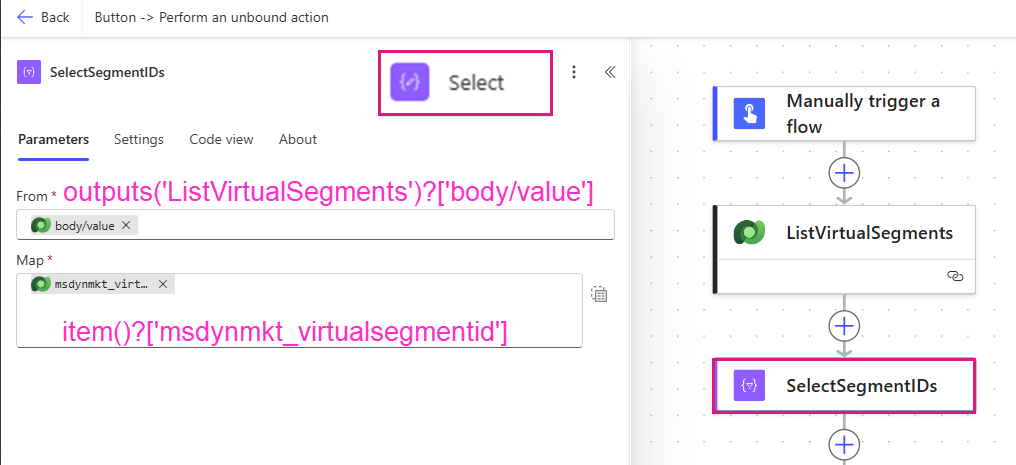
outputs('ListVirtualSegments')?['body/value']
item()?['msdynmkt_virtualsegmentid']
Delete the Segments (with an unbound action)
To delete a segment we use an API call ‘msdynmkt_DeleteSegments’ this is because deleting a segment actually has two parts, the definition and the virtual segment. So the API call is what coordinates the message to delete the virtual segment and the definition at the same time. Deleting from a virtual data source cannot be done in the Dataverse delete action, and deleting the definition only leaves an awkward orphan virtual segment record behind, hence the API call.
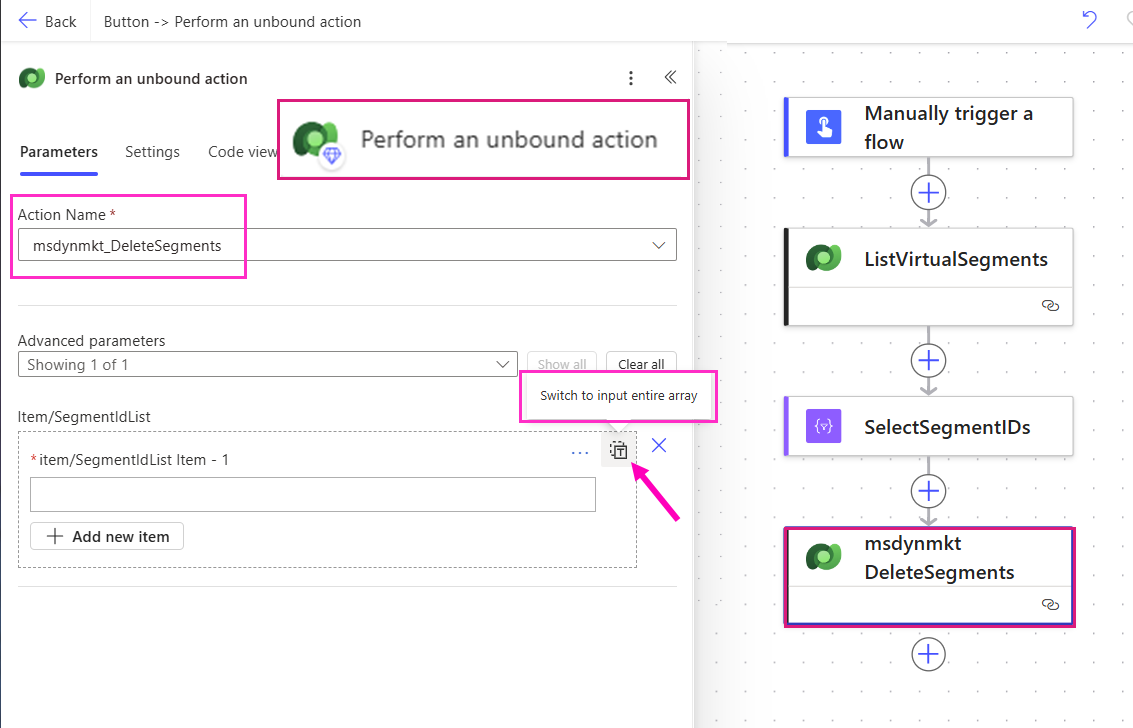
‘Perform an unbound action’ (Dataverse)
Action Name: msdynmkt_DeleteSegments
Switch the Item/SelectedIdList to ‘Input entire array’
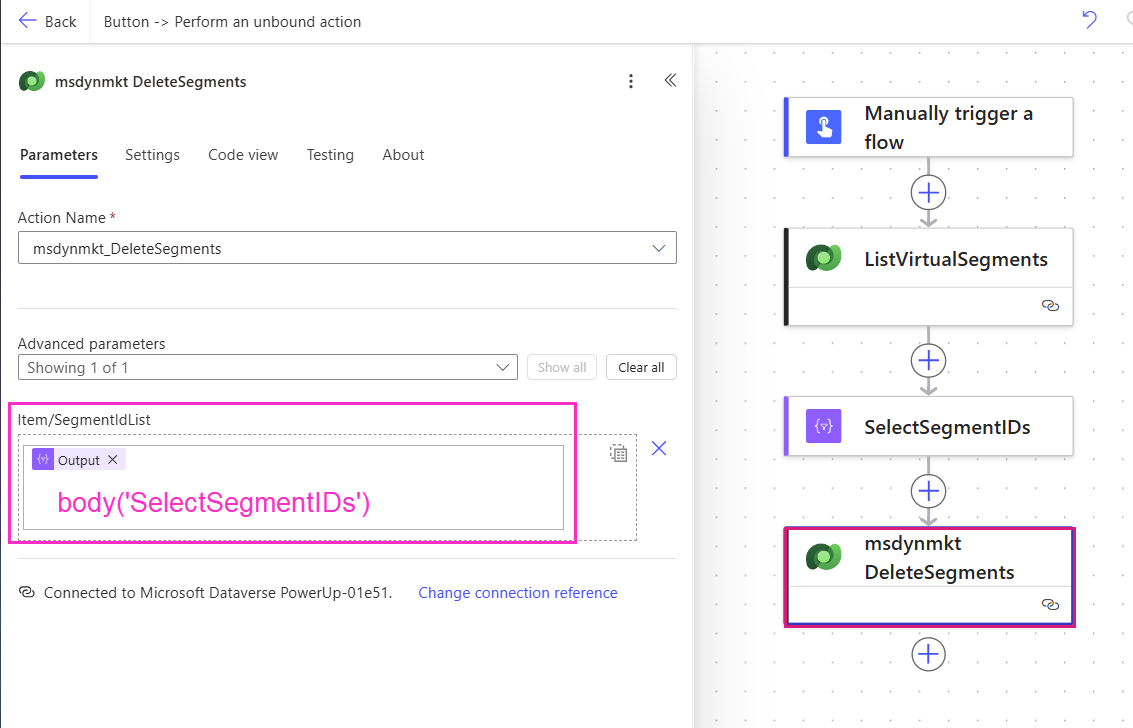
Update SegmentIDList properties
Item/SelectedIdList: body('SelectSegmentIDs')
Response from msdynmkt_DeleteSegments
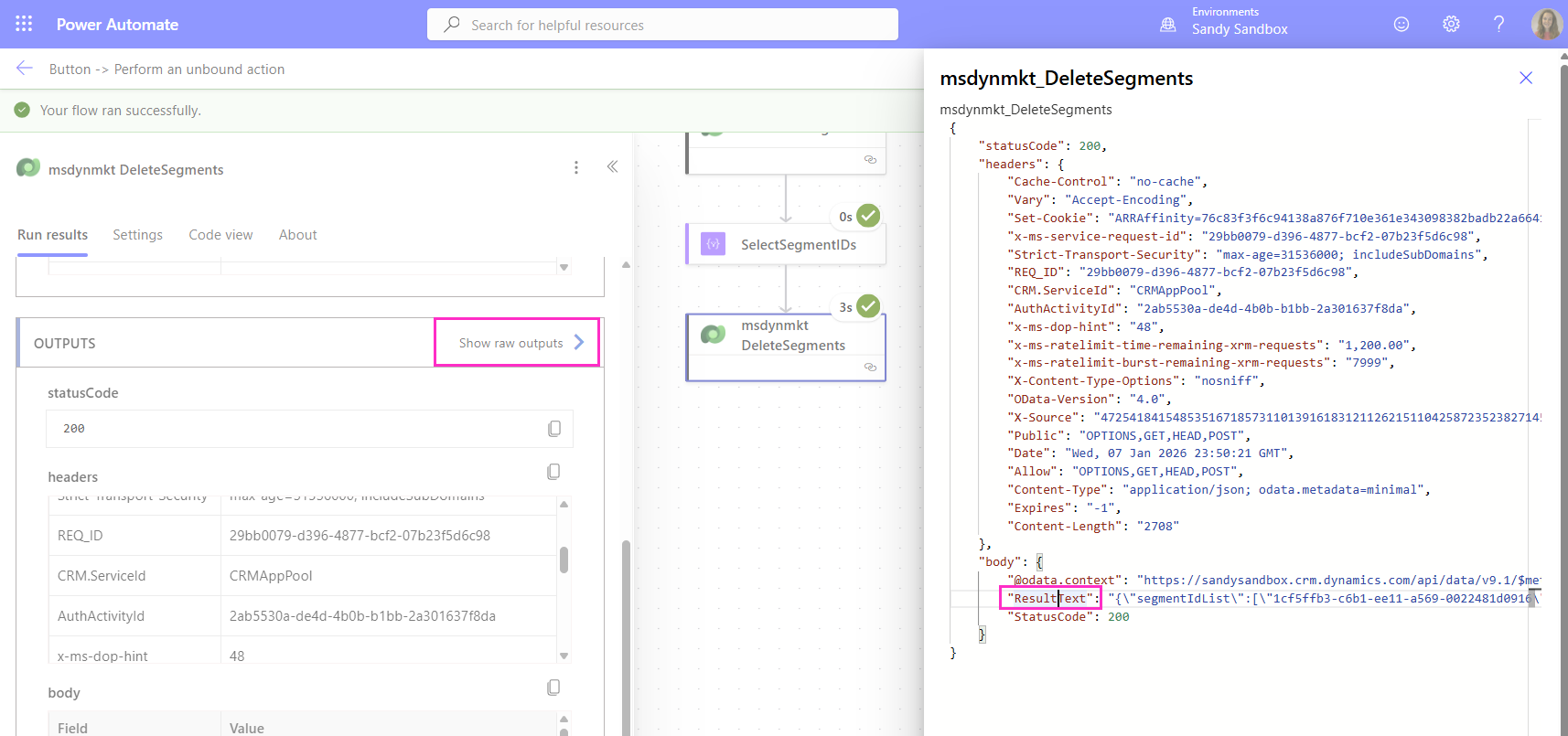
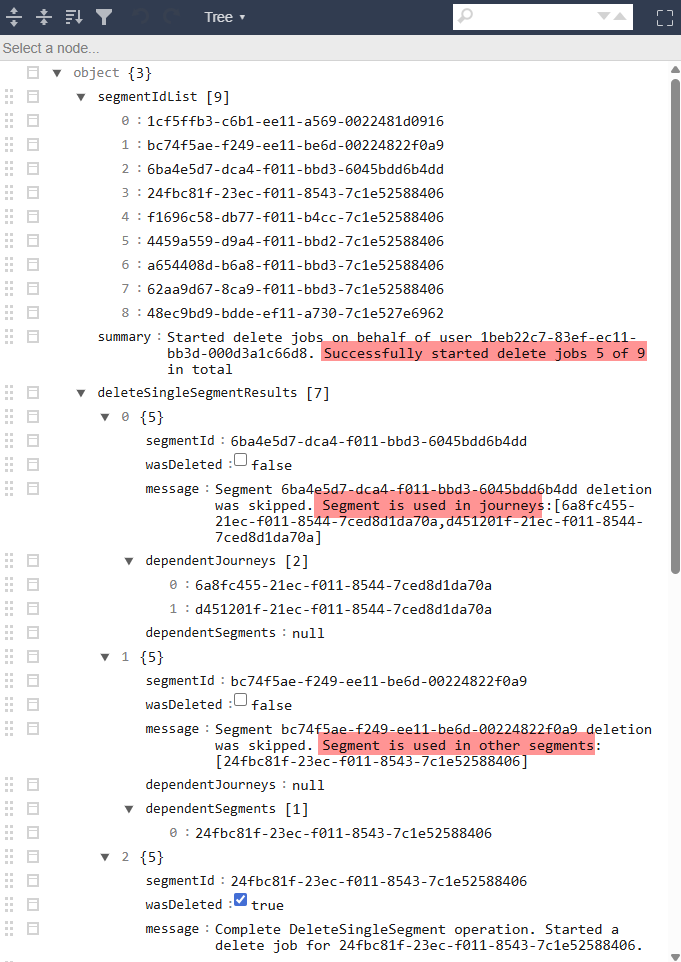
The response from the unbound action seems to always return 200 (success) but it doesn’t mean all the segments were deleted successfully. if you look at the outputs there is an item called called ‘Result text’ which shows a stringified JSON detailed report of each segment deletion request and what happened.
Which when parsed, shows a really cute report of what happened (or didn’t happen) for each segment!
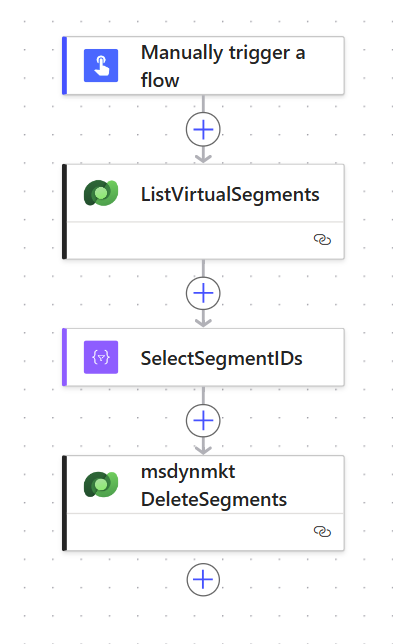
We can pretend I used the modern flow designer to create this flow right?
Hopefully this helps and you don’t accidentally delete things you shouldn’t - good luck!