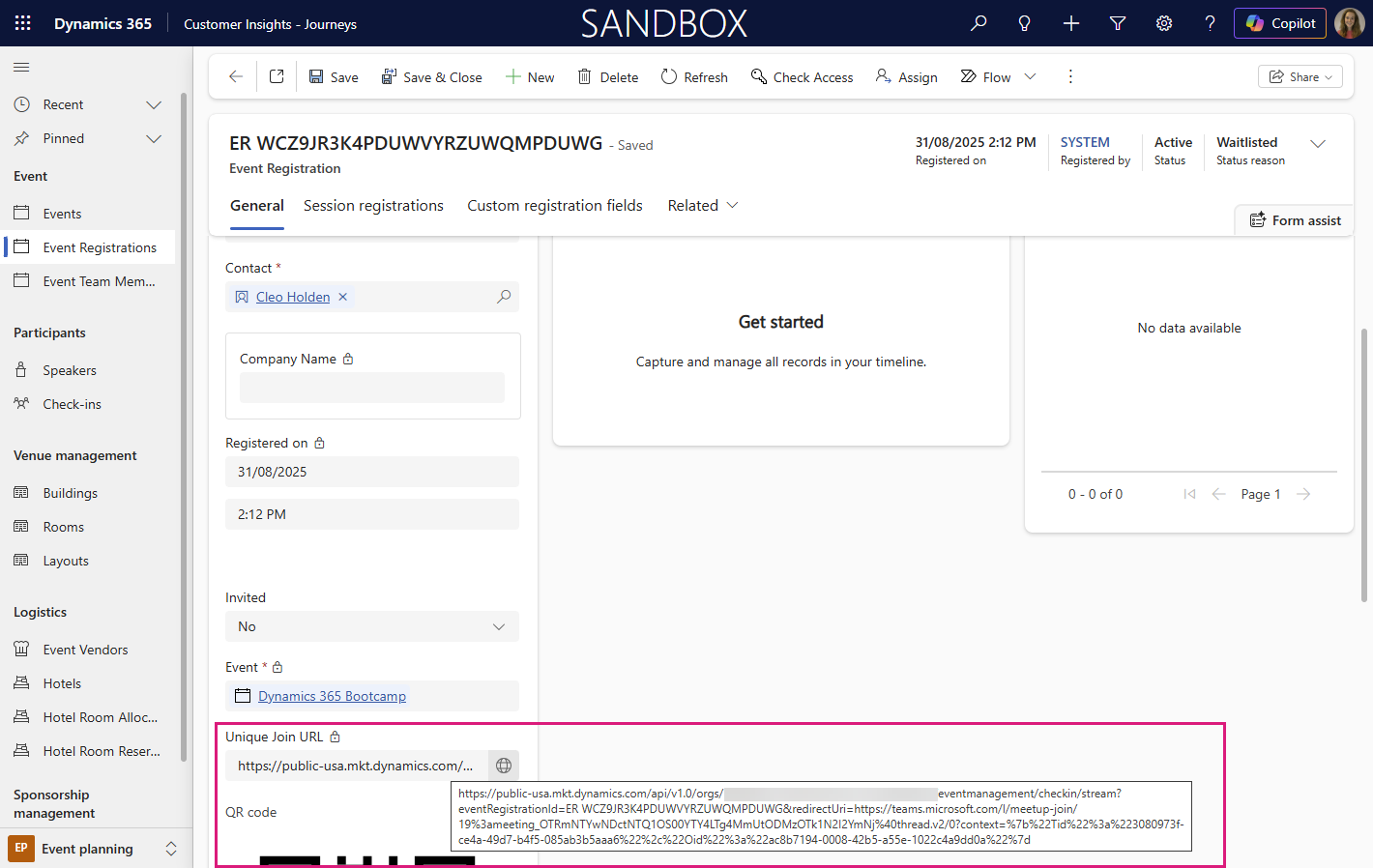
Unique Join Link for Teams Meetings and Webinars in Dynamics 365 Customer Insights - Journeys
Customer Insights – Journeys integrates with Microsoft Teams to support trackable meeting experiences. The ‘standard’ way to do this is by adding the ‘Join in Teams’ button to event confirmations and reminders via a journey. Unique join links can be generated for each event registration. These links enable individual-level tracking of attendance and engagement, which flows back into the event in Dynamics 365 as ‘Check-ins’ which works beautifully.
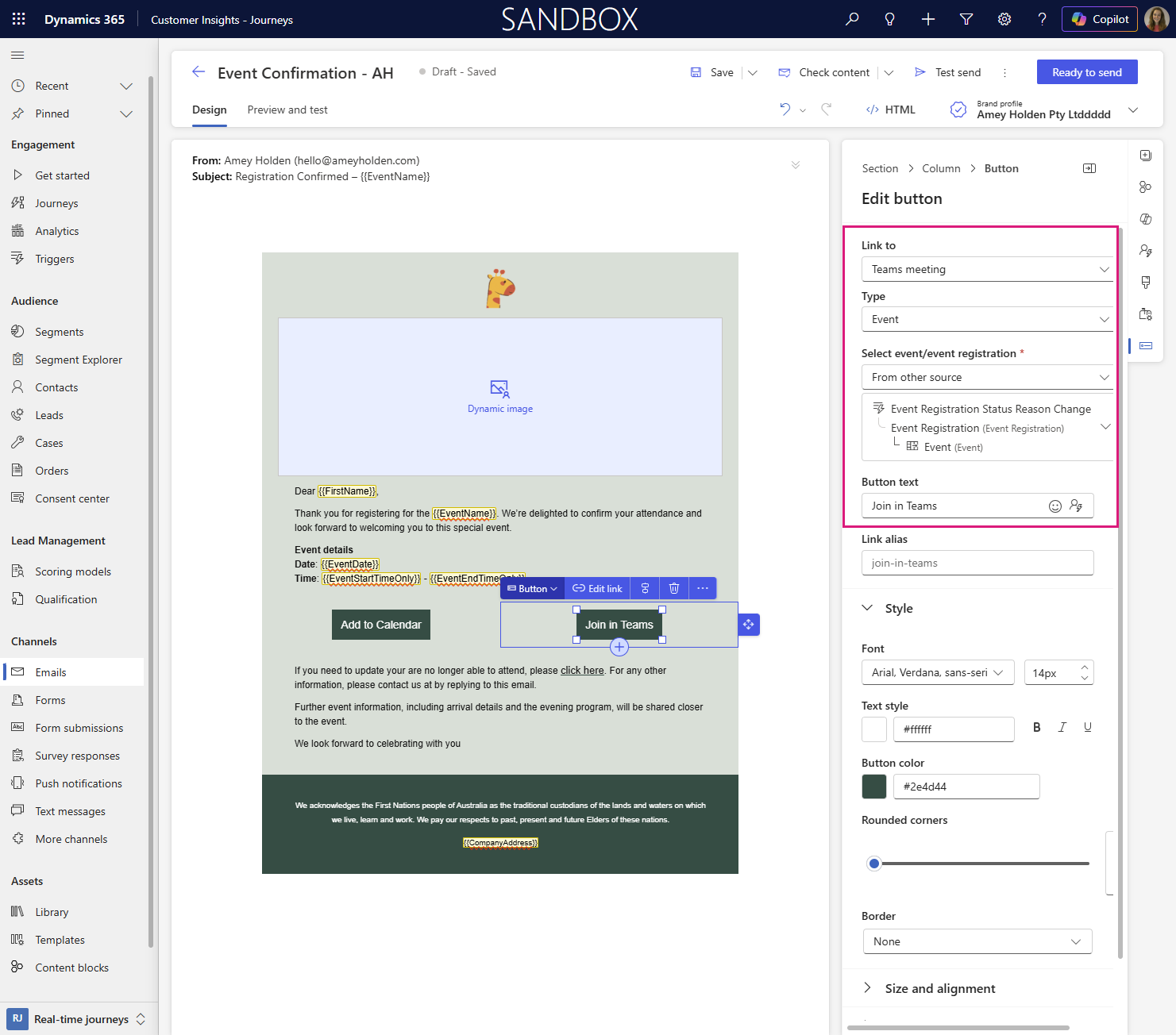
A question that comes around often: “How can we send a unique join link to attendees so they can join the Teams Meeting or Webinar with automatically tracked attendance?” Sending this my automated journey email doesn’t always go to plan, emails go missing or need to be sent by other means sometimes, so how else can we generate that magical team join link?
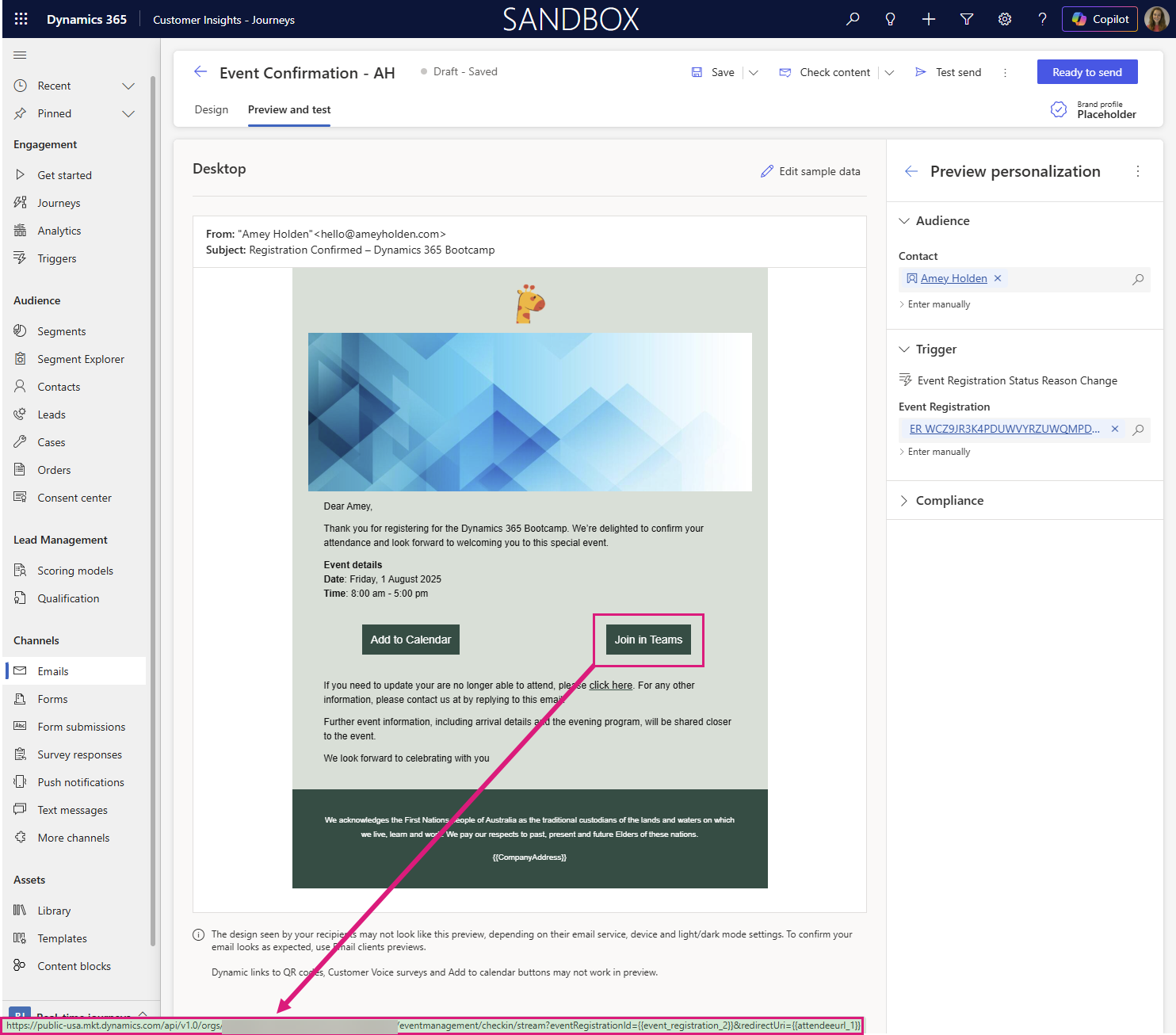
If you look at the preview of the link on the ‘Join in Teams’ button' you will see something like this:
So as a one off you could create this yourself by finding your organisations base URL (e.g. https://public-usa.mkt.dynamics.com/api/v1.0/orgs/5e604e4d-79d4-4ffc-1111-ba7334dbfc9c) and then combining this with the event registration ID and Team Join URL as shown below.
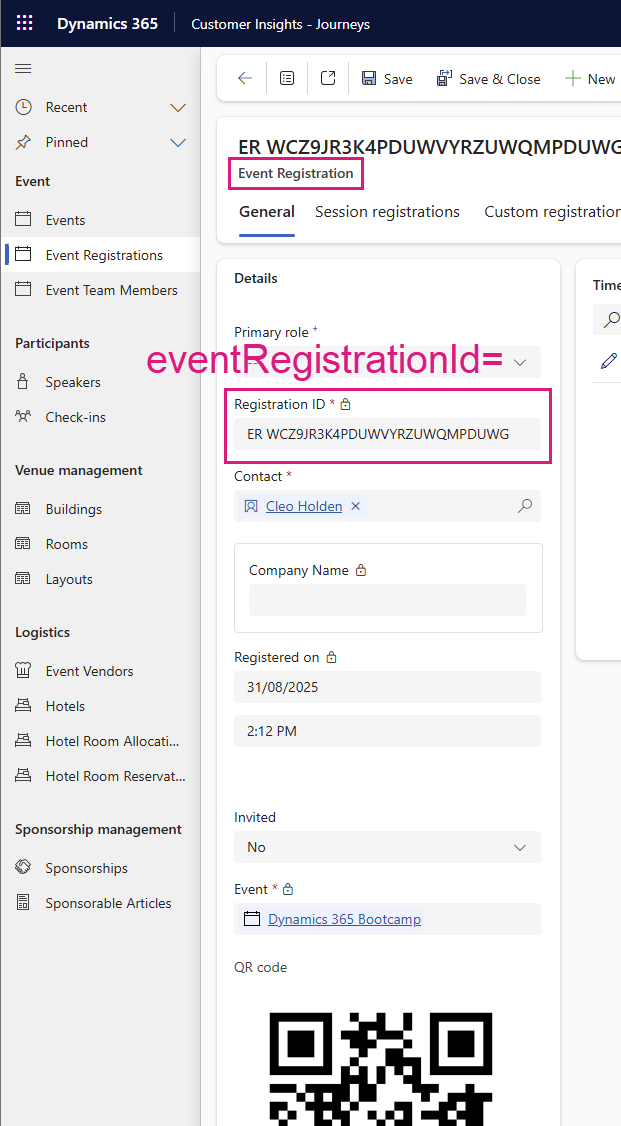
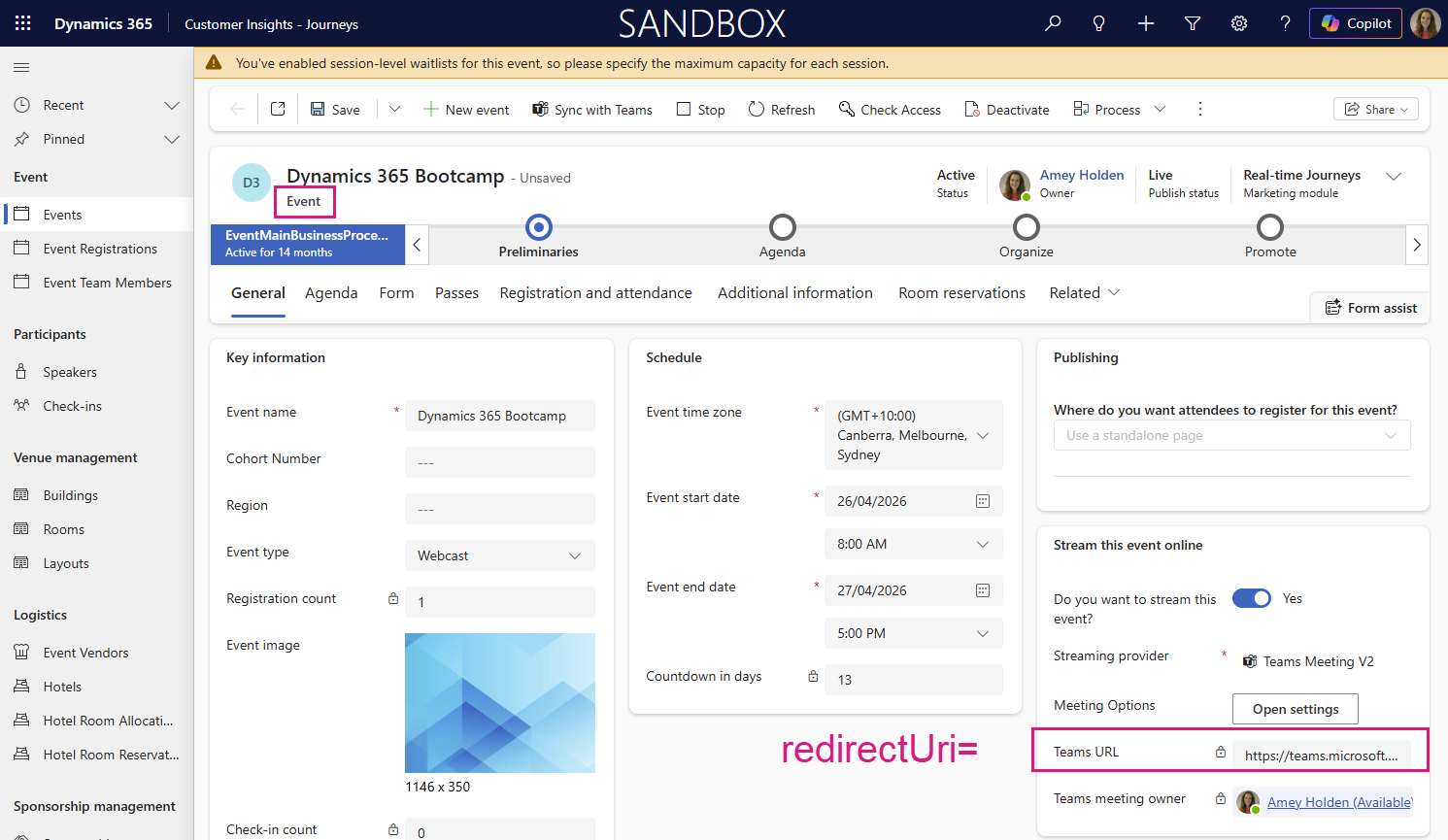
But repeating that time after time is prone to errors and very manual. Instead, you could automatically calculate a unique join URL for each event registration using a PowerFX calculated column! I have done this previously with flows but this is a whole new level of simple to implement.
Add a new Formula column to the Event Registration table with the following formula:
Change the Format to URL, and Save.
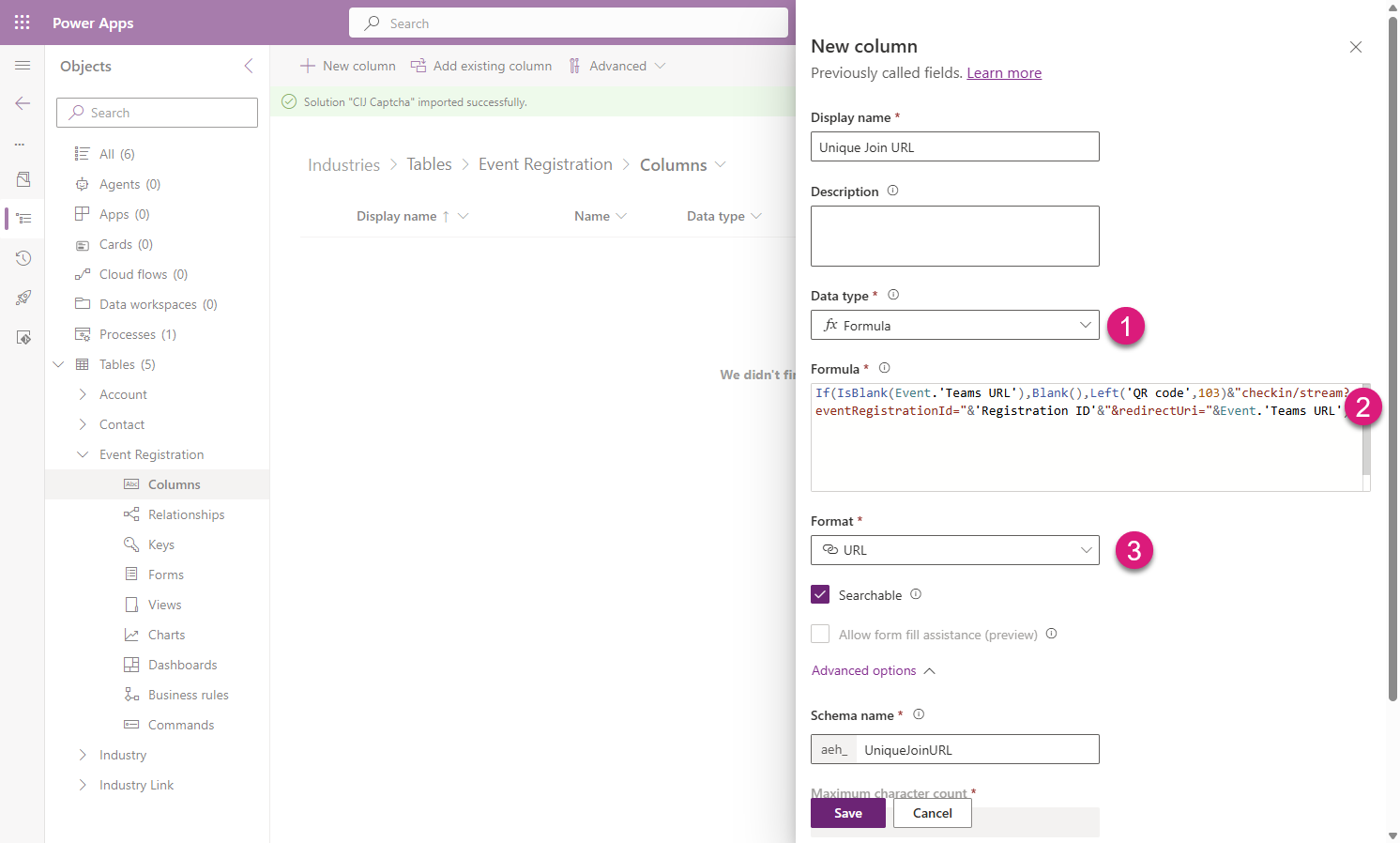
Since we are using the base URL from the QR code - there is no need for adjustments to the code between environments. Add it to your Event Registration forms/views and you are good to go! When the customer uses this link to join the meeting or webinar, a check-in will be automatically created for this specific attendee. I love PowerFX calculated columns!