Sync Text Message Replies STOP and START with Contact Point Consent in Customer Insights - Journeys
If you are using SMS in Customer Insights - Journeys you might have noticed that messages are getting blocked a bit more than you expected. You create a segment with everyone that’s ‘opted in’ for SMS but somehow you still get delivery failures due to consent.
But why? And how do you get a true picture of SMS consent in Customer Insights - Journeys?
With most SMS providers, if someone replies STOP to a marketing SMS, they are automatically unsubscribed from future text messages from that sender. The SMS provider blocks future SMS sends to that phone number until the person opts back in (which usually can only be done by replying START to the same number). Any future attempt to send SMS to a number that replied STOP is automatically rejected. And the opt out is for all SMS from that number, your purpose/topic structure is completely irrelevant.
BUT your consent data in Customer Insights - Journeys has absolutely no idea about this. And even better, you get charged by your SMS provider for the blocked send. This post will show you how to sync ‘STOP’ and ‘START’ replies back to the contact point consent data in Customer Insights - Journeys. And also how to access a view of this data using segmentation.
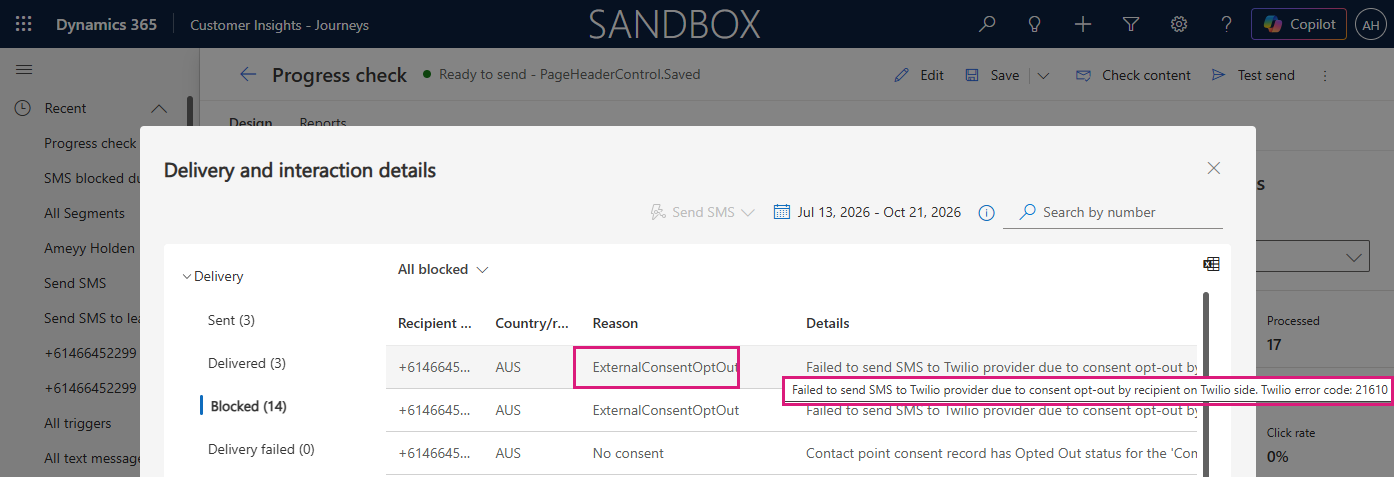
Create a segment of based on ‘Blocked’ due to SMS STOP reply
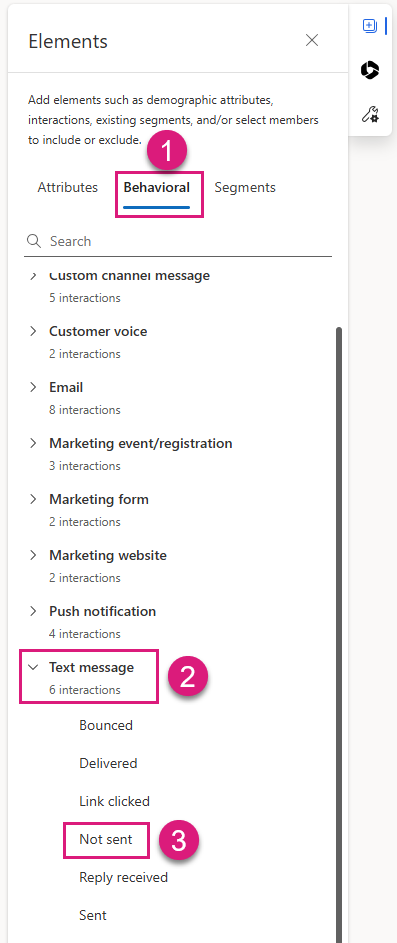
First, lets look at how you can find this data. Create a segment and under the ‘Behavioural’ tab, expand the ‘Text Message’ section. Select ‘Not Sent’.
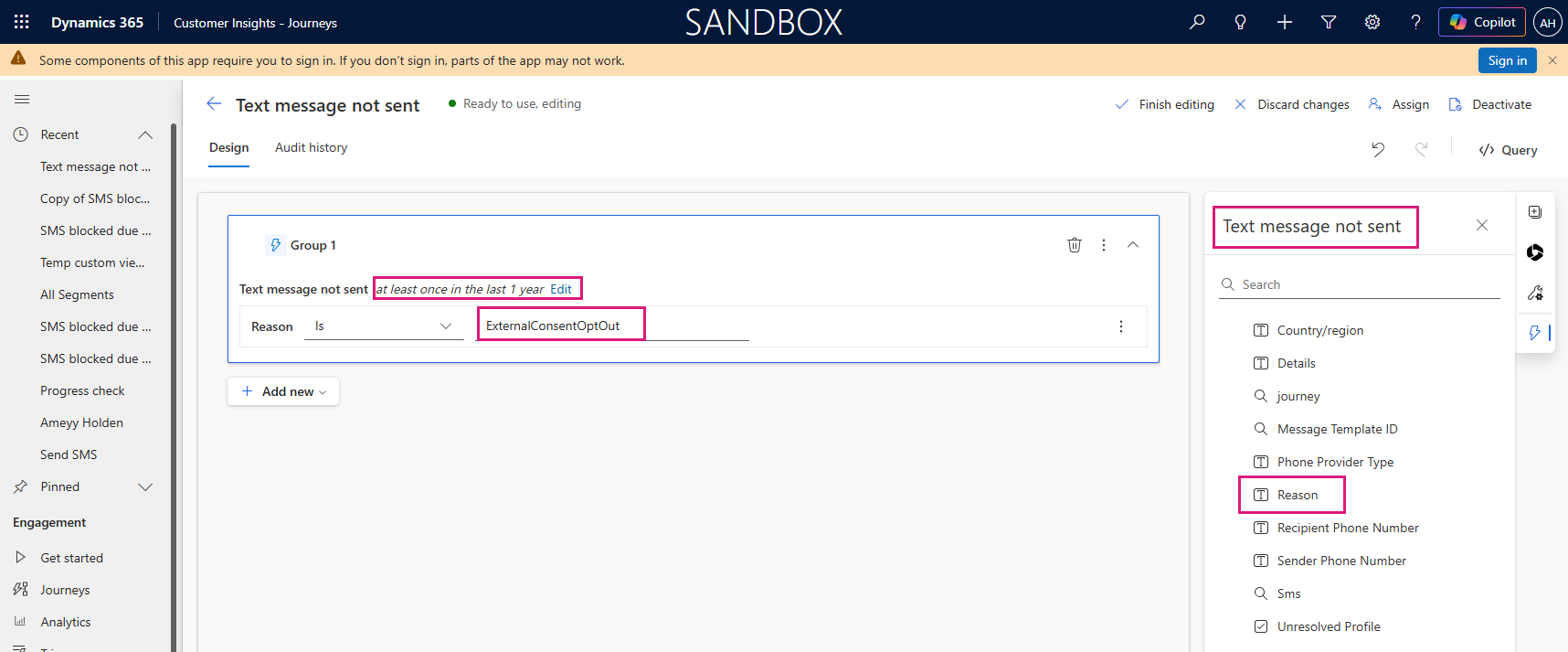
Add ‘Reason’ Is ‘ExternalConsentOptOut‘ and edit the time period as needed. And now you can see the issue, lets look at how to fix it!
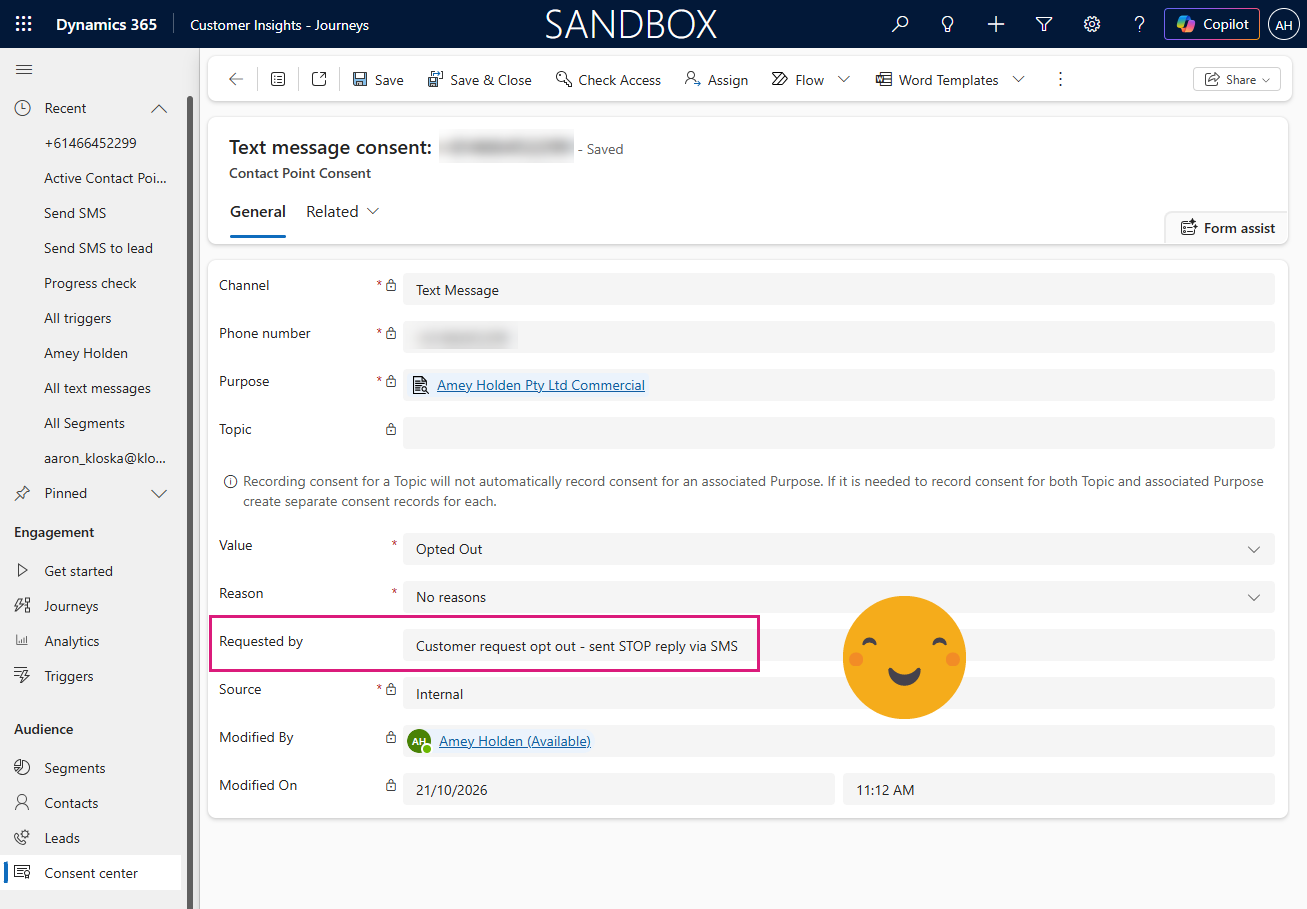
Update Contact Point Consent when SMS reply received
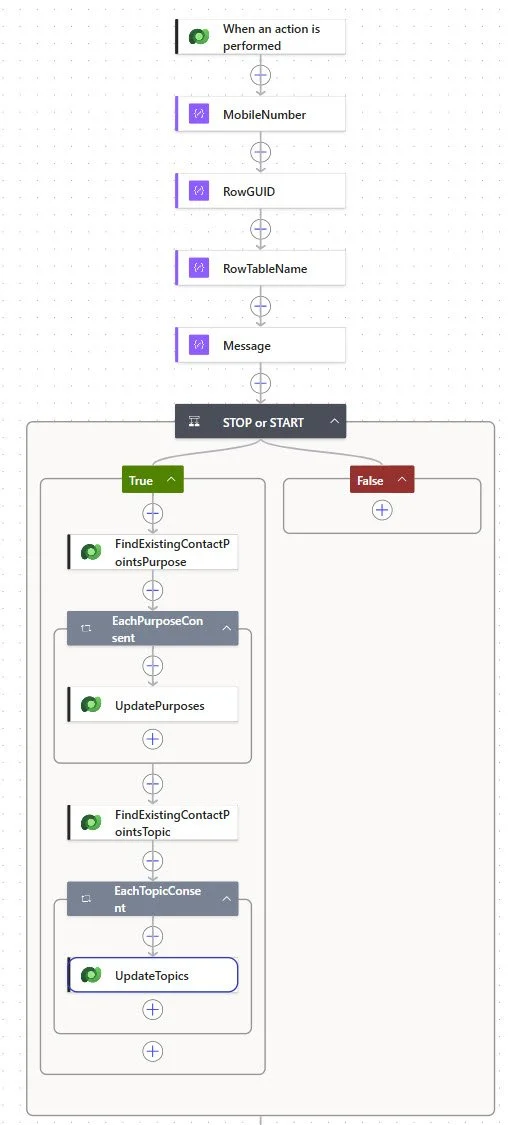
To do this we are going to create a Power Automate flow that listens for inbound SMS messages received through Customer Insights - Journeys and automatically updates SMS consent records based on recognised keywords ‘STOP’ and ‘START’.
STOP = Opt customer out of SMS communications
START = Opt customer back in to SMS communications
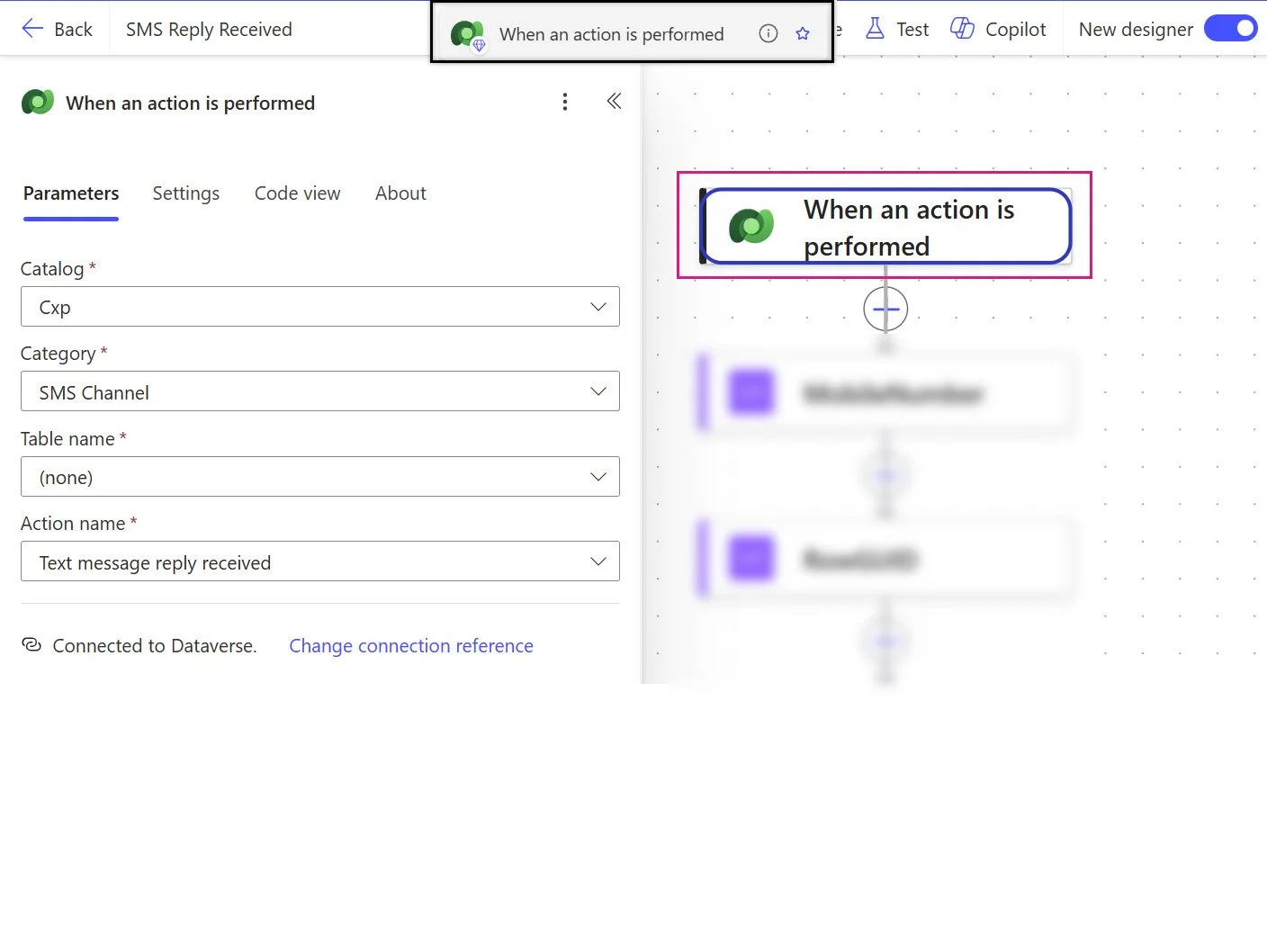
1) When a SMS Reply is Recieved
When an action is performed - Dataverse
Catalog: Cxp
Category: SMS Channel
Table name: (none)
Action name: Text message reply received
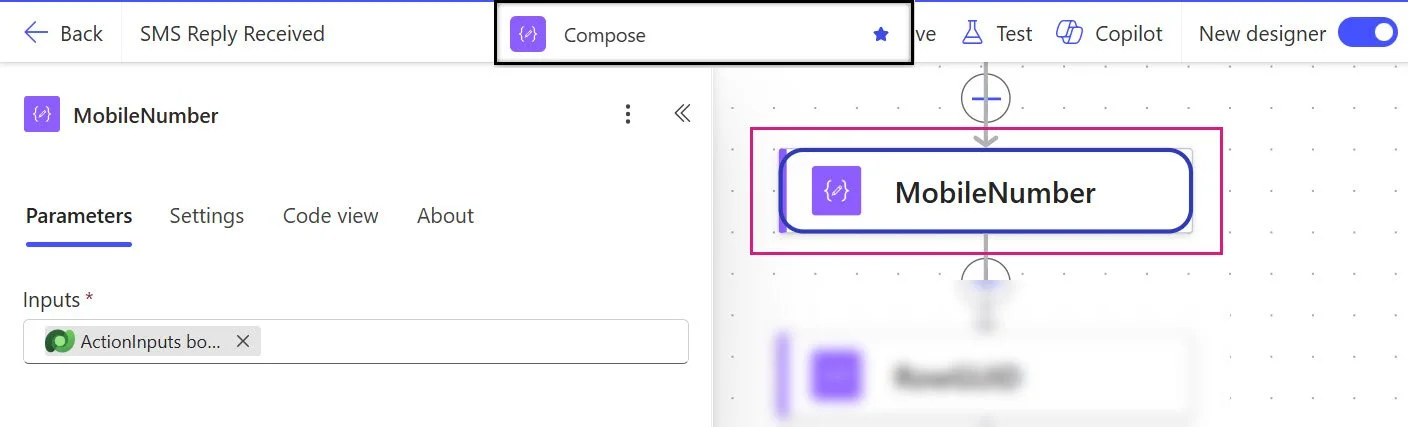
2) Extract Mobile Number
Compose - Mobile Number
Inputs: triggerBody()?['msdynmkt_usercontactpoint']
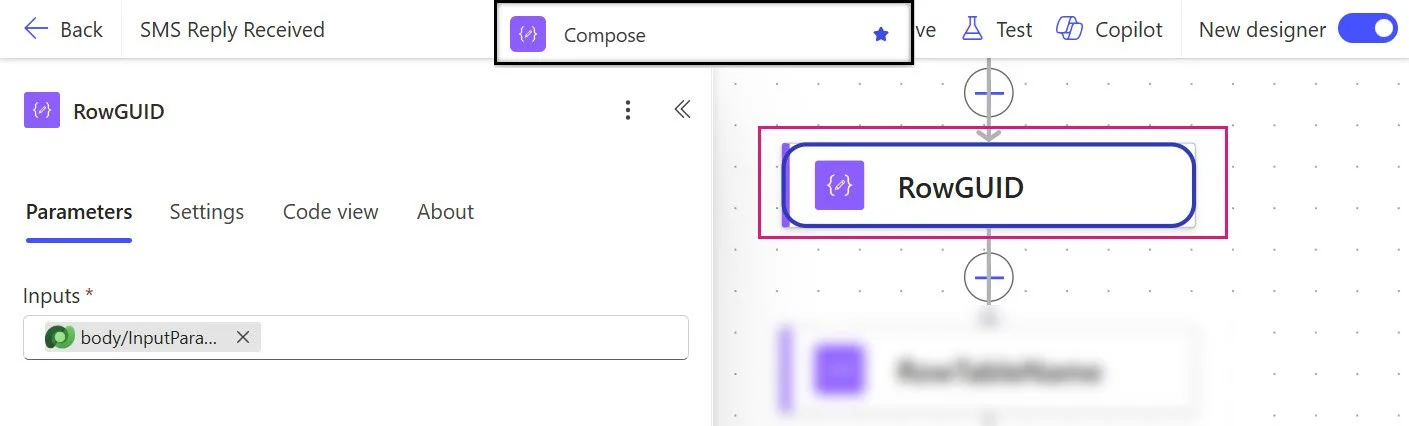
3) Extract Dataverse Record Id
Compose - Entity ID
Inputs: triggerBody()?['msdynmkt_entityid']?['Id']
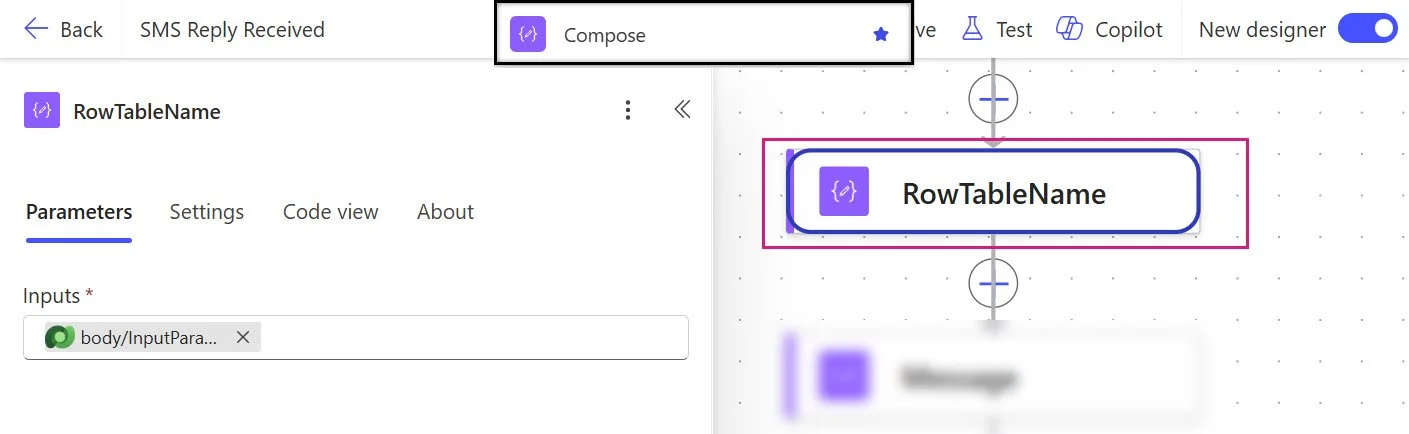
4) Extract Table Name
Compose - Logical Name
Inputs: triggerBody()?['msdynmkt_entityid']?['LogicalName']
5) Extract SMS Message Text
Compose - SMS Text
Inputs: triggerBody()?['msdynmkt_text']
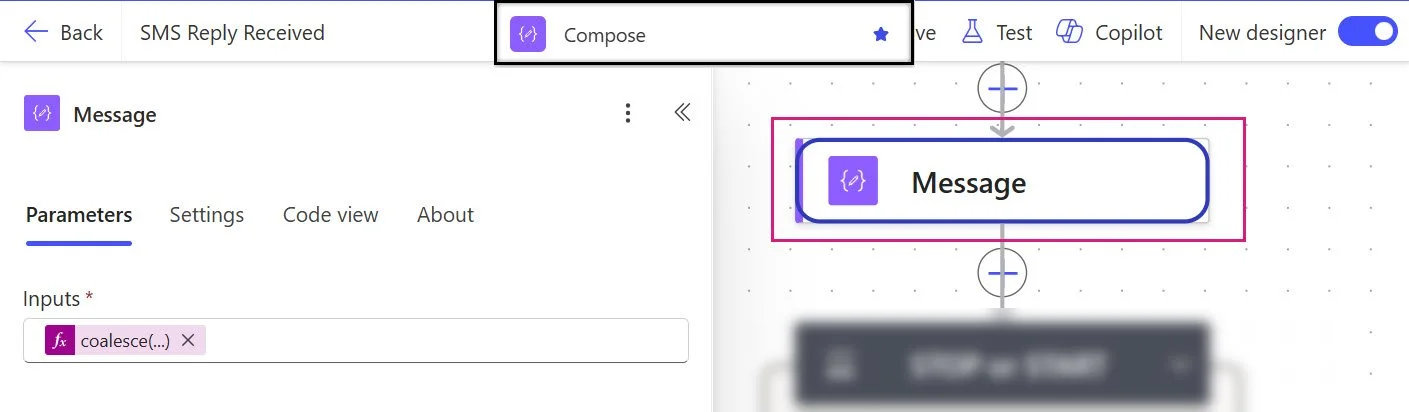
6) Validate message content is a recognised consent command
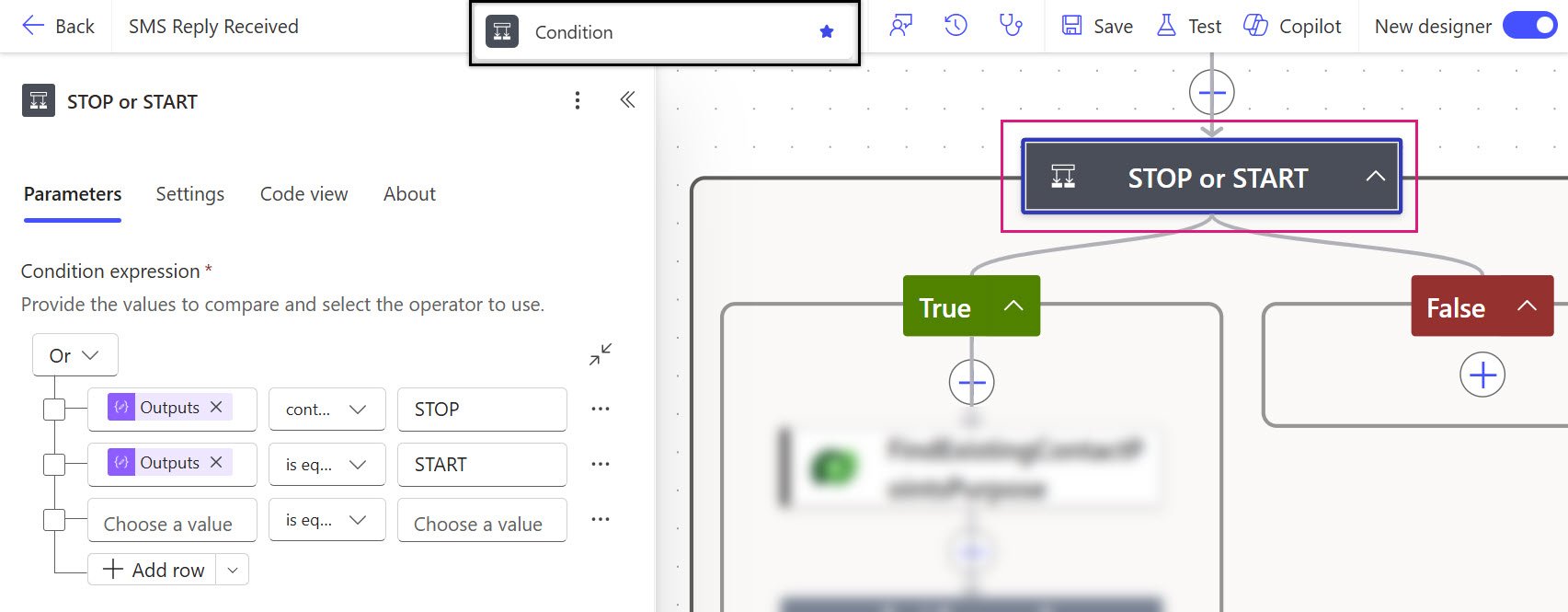
Condition - STOP or START
Logical test: outputs('Message') contains STOP
OR
outputs('Message') is equal to STOP
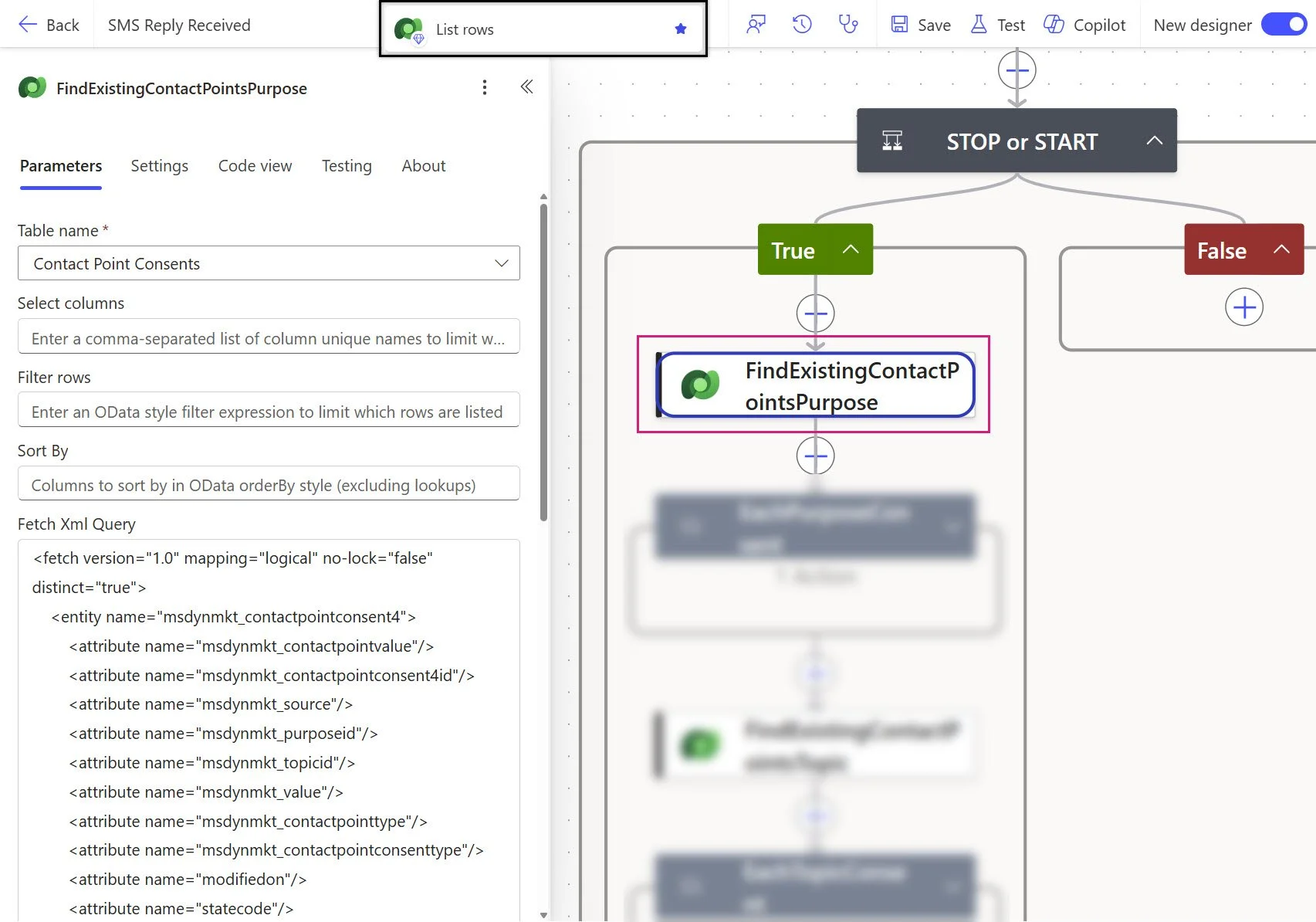
Step 7: Retrieve purpose consent records
Dataverse - List Rows - FindExistingContactPointsPurpose
Table: Contact Point Consents (msdynmkt_contactpointconsent4)
Fetch Xml Query:
<fetch version="1.0" mapping="logical" no-lock="false" distinct="true">
    <entity name="msdynmkt_contactpointconsent4">
        <attribute name="msdynmkt_contactpointvalue"/>
        <attribute name="msdynmkt_contactpointconsent4id"/>
        <attribute name="msdynmkt_source"/>
        <attribute name="msdynmkt_purposeid"/>
        <attribute name="msdynmkt_topicid"/>
        <attribute name="msdynmkt_value"/>
        <attribute name="msdynmkt_contactpointtype"/>
        <attribute name="msdynmkt_contactpointconsenttype"/>
        <attribute name="modifiedon"/>
        <attribute name="statecode"/>
        <order attribute="msdynmkt_contactpointvalue" descending="false"/>
        <filter type="and">
            <condition attribute="statecode" operator="eq" value="0"/>
            <condition attribute="msdynmkt_value" operator="ne" value="@{if(equals(outputs('Message'),'START'),534120001,534120002)}"/>
            <condition attribute="msdynmkt_contactpointvalue" operator="eq" value="@{outputs('MobileNumber')}"/>
        </filter>
        <link-entity name="msdynmkt_purpose" alias="aa" link-type="inner" from="msdynmkt_purposeid" to="msdynmkt_purposeid">
            <filter type="and">
                <condition attribute="msdynmkt_type" operator="eq" value="534120000"/>
            </filter>
        </link-entity>
    </entity>
</fetch>
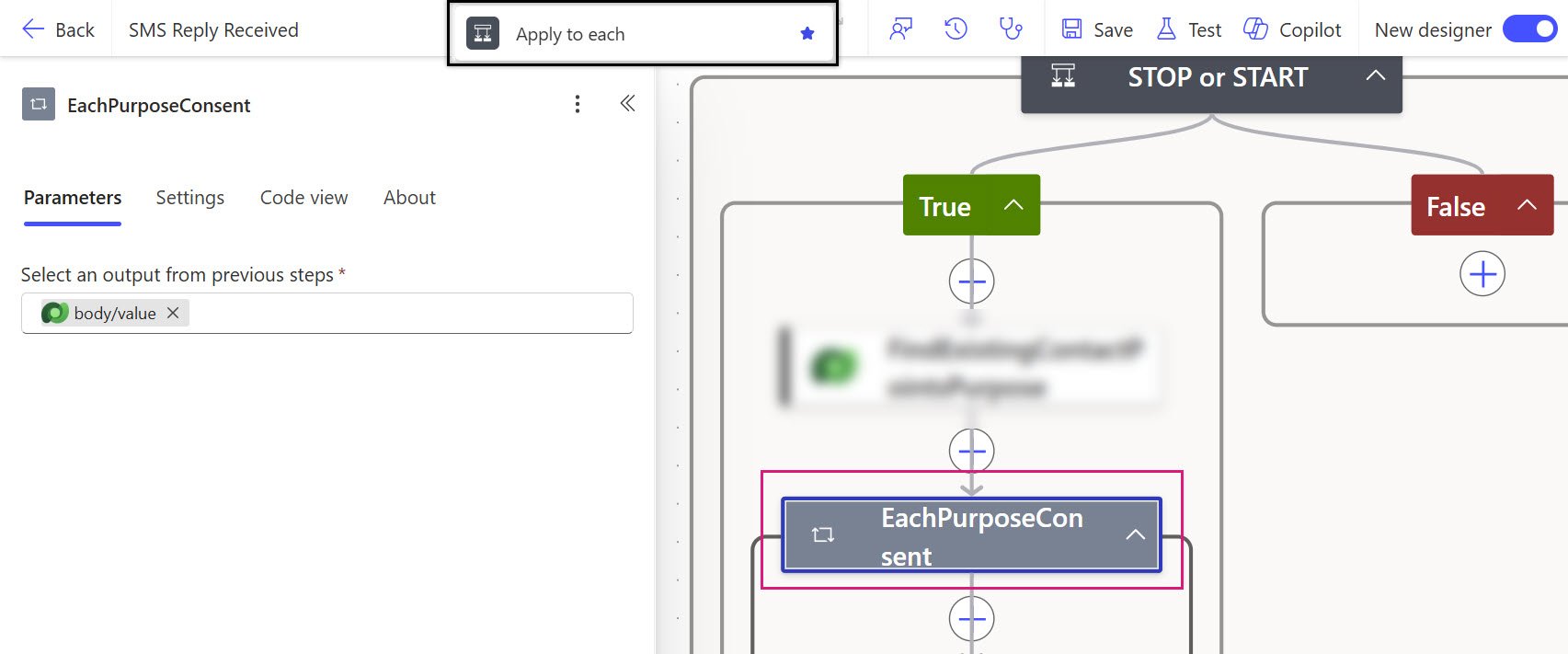
8) Loop through purpose consents
Apply to each - EachPurposeConsent
Select an output from previous steps: outputs('FindExistingContactPointsPurpose')?['body/value']
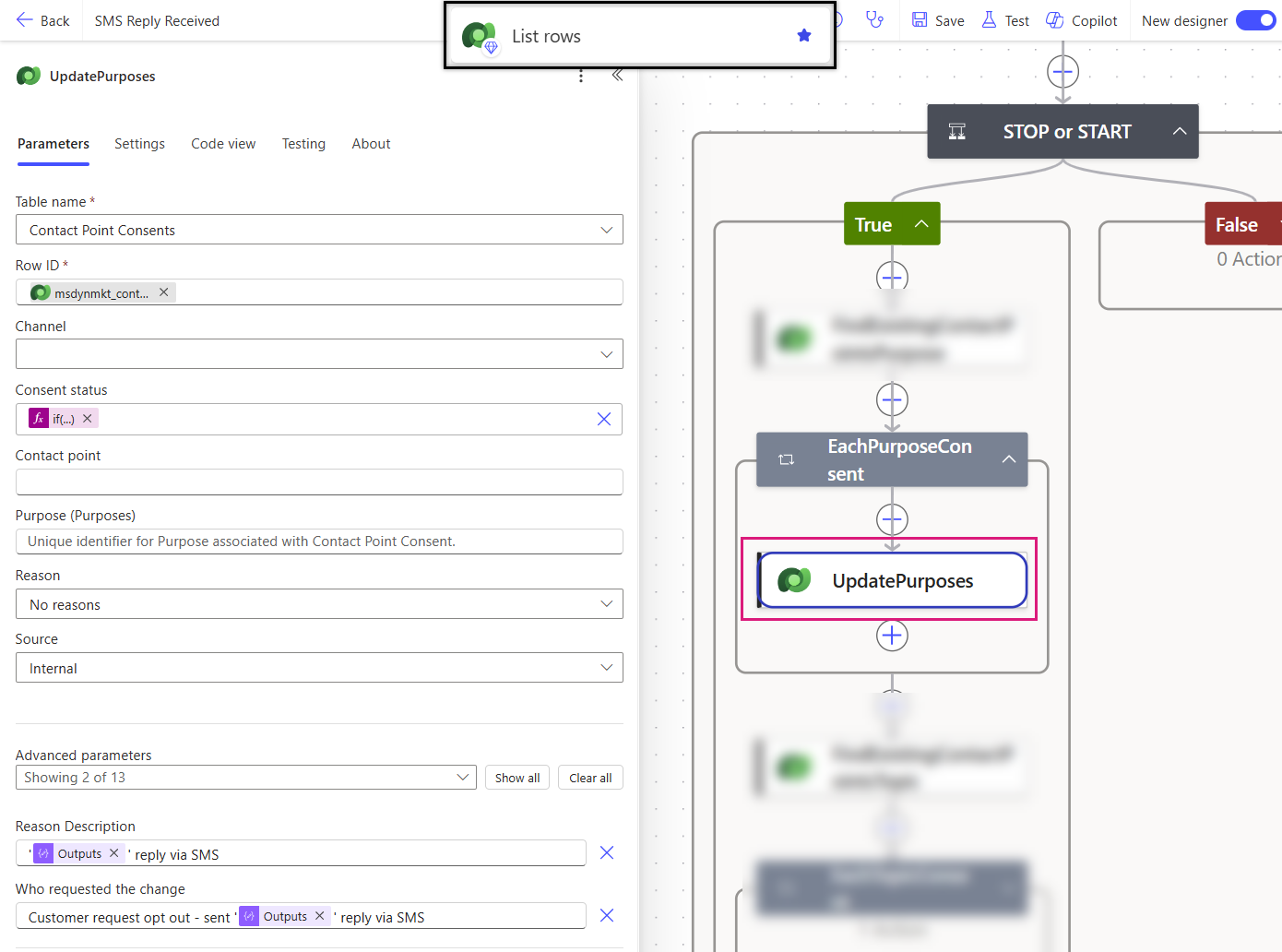
9) Update purpose consent to opt in or out
Dataverse - Update Row - UpdatePurposes
Table name: Contact Point Consents (msdynmkt_contactpointconsent4)
Row ID: items('EachPurposeConsent')?['msdynmkt_contactpointconsent4id']
Consent status: if(equals(outputs('Message'),'START'),534120001,534120002)
Reason: No reasons
Source: Internal
Reason Description: ‘@{outputs('Message')}' reply via SMS
Who requested the change: Customer request opt out - sent '@{outputs('Message')}' reply via SMS
10) Retrieve topic consent records
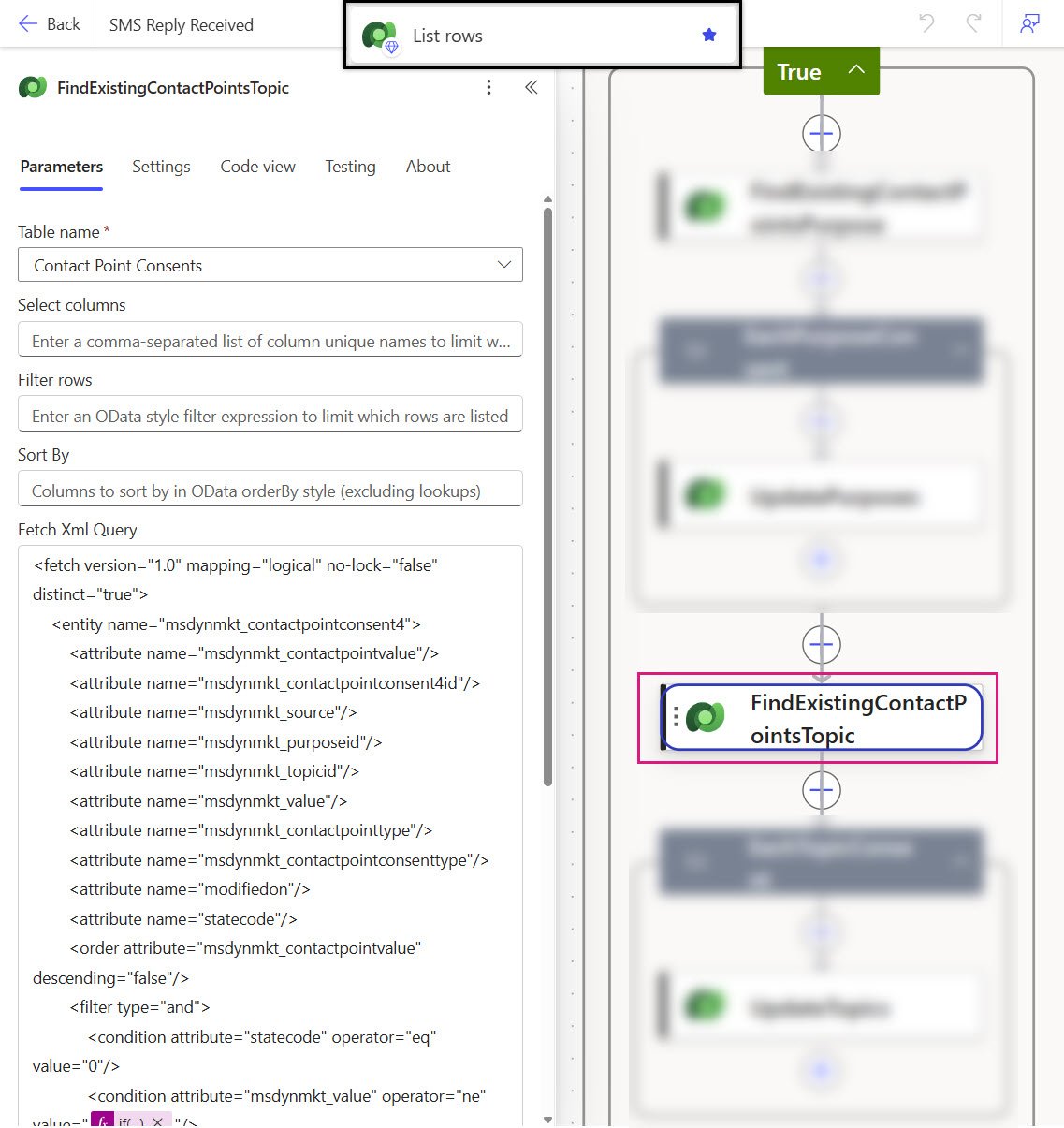
Dataverse - List Rows - FindExistingContactPointsTopic
Table: Contact Point Consents (msdynmkt_contactpointconsent4)
Fetch Xml Query:
<fetch version="1.0" mapping="logical" no-lock="false" distinct="true">
    <entity name="msdynmkt_contactpointconsent4">
        <attribute name="msdynmkt_contactpointvalue"/>
        <attribute name="msdynmkt_contactpointconsent4id"/>
        <attribute name="msdynmkt_source"/>
        <attribute name="msdynmkt_purposeid"/>
        <attribute name="msdynmkt_topicid"/>
        <attribute name="msdynmkt_value"/>
        <attribute name="msdynmkt_contactpointtype"/>
        <attribute name="msdynmkt_contactpointconsenttype"/>
        <attribute name="modifiedon"/>
        <attribute name="statecode"/>
        <order attribute="msdynmkt_contactpointvalue" descending="false"/>
        <filter type="and">
            <condition attribute="statecode" operator="eq" value="0"/>
            <condition attribute="msdynmkt_value" operator="ne" value="@{if(equals(outputs('Message'),'START'),534120001,534120002)}"/>
            <condition attribute="msdynmkt_contactpointvalue" operator="eq" value="@{outputs('MobileNumber')}"/>
            <condition attribute="msdynmkt_topicid" operator="not-null"/>
        </filter>
    </entity>
</fetch>
11) Loop through topic consents
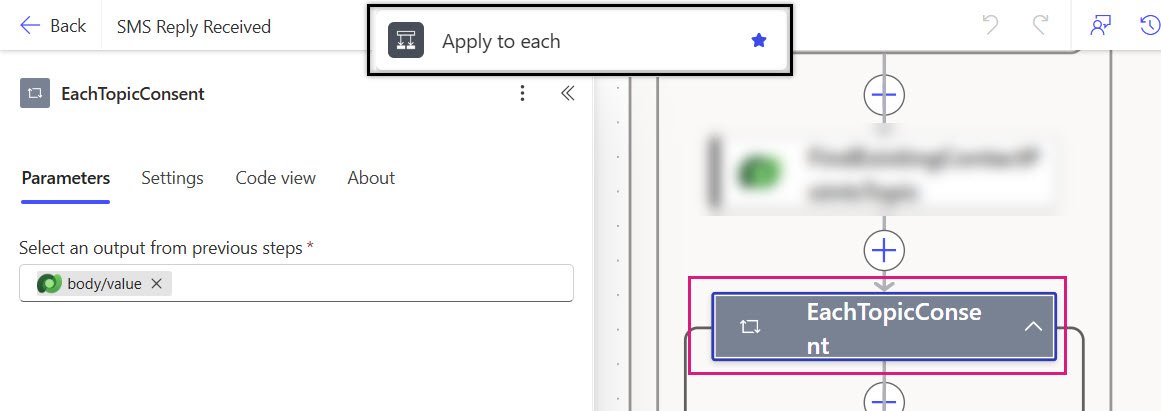
Apply to each - EachTopicConsent
Select an output from previous steps: outputs('FindExistingContactPointsTopic)?['body/value']
12) Update topic consent to opt in or out
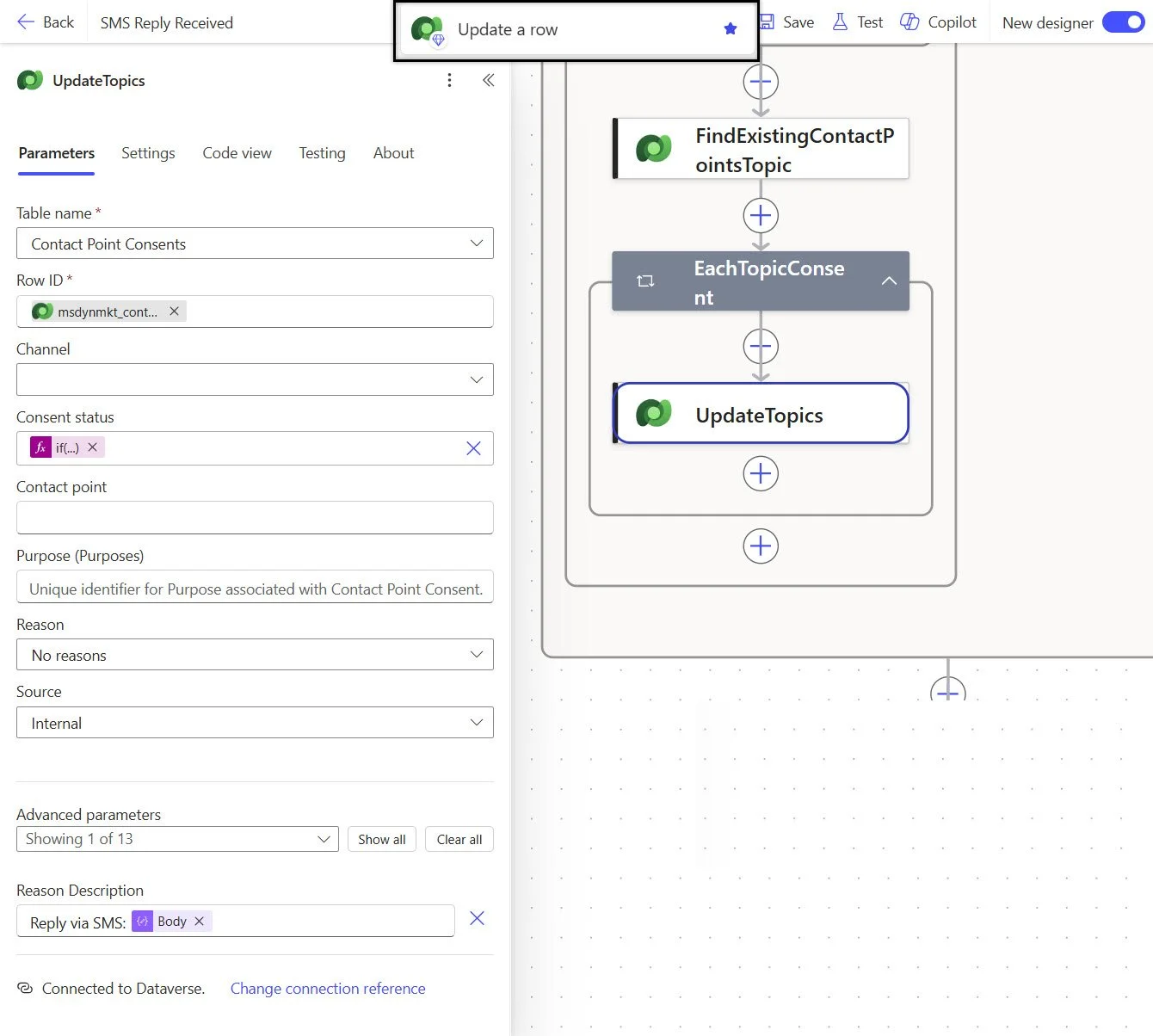
Dataverse - Update Row - UpdateTopics
Table name: Contact Point Consents (msdynmkt_contactpointconsent4)
Row ID: items('EachPurposeConsent')?['msdynmkt_contactpointconsent4id']
Consent status: if(equals(outputs('Message'),'START'),534120001,534120002)
Reason: No reasons
Source: Internal
Reason Description: ‘@{outputs('Message')}' reply via SMS
Who requested the change: Customer request opt out - sent '@{outputs('Message')}' reply via SMS
That’s all
Customer Insights - Journeys does not automatically synchronize SMS provider STOP and START replies with Contact Point Consent records. As a result, your consent data can slowly drift away from reality, leading to blocked sends, inaccurate segmentation, and unnecessary SMS costs.
By implementing this Power Automate flow, you can ensure that SMS consent remains aligned with your provider's opt-out status, giving you a more accurate view of customer preferences and improving SMS campaign performance.